System Settings
The System Settings module provides centralized control over core configurations and operational preferences of the platform. It allows administrators to manage general settings such as company information, default currency, date format, and language options. This module ensures smooth system performance by maintaining consistency across all modules. Users can customize system behavior to match organizational policies and workflow requirements. Additionally, System Settings simplify administration by providing quick access to essential configuration options in one place.
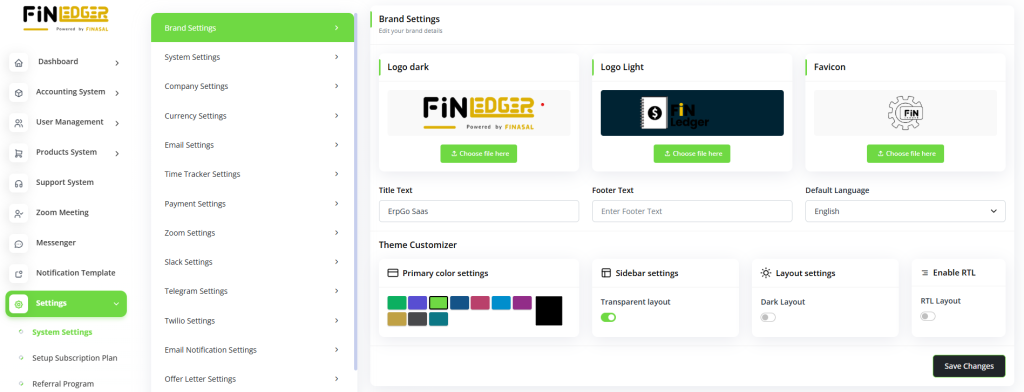
Brand Settings
The Brand Settings module allows you to manage and customize your company’s branding elements within the system.
You can upload your company logo, set brand colors, and define display preferences to maintain a consistent visual identity.
This module ensures that all invoices, reports, and communications reflect your brand’s professional image.
It helps create a unified experience for clients and users across all modules.
Additionally, Brand Settings enable easy updates whenever your organization’s branding evolves.
Customize your product’s appearance with logo options for dark and light themes, set favicons, and define title and footer text.
Choose the default language, enable Right-to-Left (RTL) text direction, and adjust theme, sidebar, and layout settings to match your preferences.
System Settings
The System Settings module provides centralized control over core configurations and operational preferences of the platform.
It allows administrators to manage general settings such as company information, default currency, date format, and language options.
This module ensures smooth system performance by maintaining consistency across all modules.
Users can customize system behavior to match organizational policies and workflow requirements.
Additionally, System Settings simplify administration by providing quick access to essential configuration options in one place.
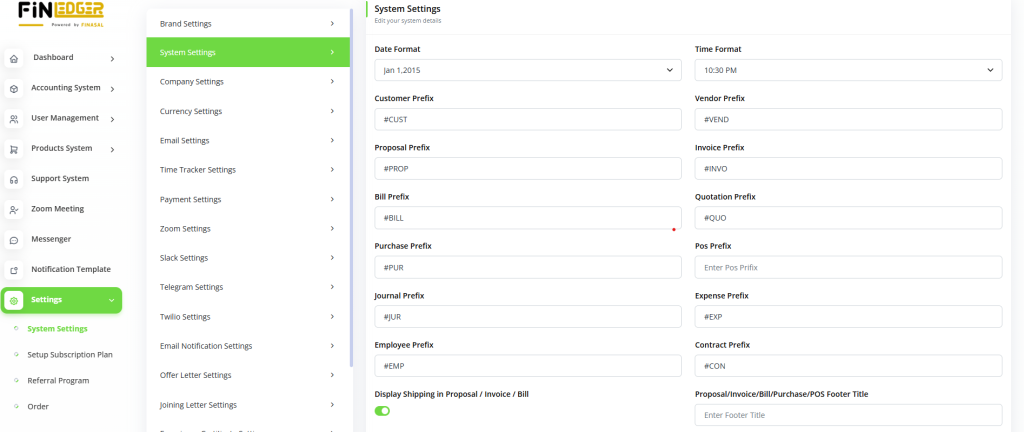
Configure essential details such as currency, currency symbol, and its position, along with decimal, date, and time formats.
Define prefixes for different transactions and manage the shipping display for quotes, invoices, and sales orders.
Add custom footer titles and notes to enhance professionalism in your documents and reports.
Email Settings
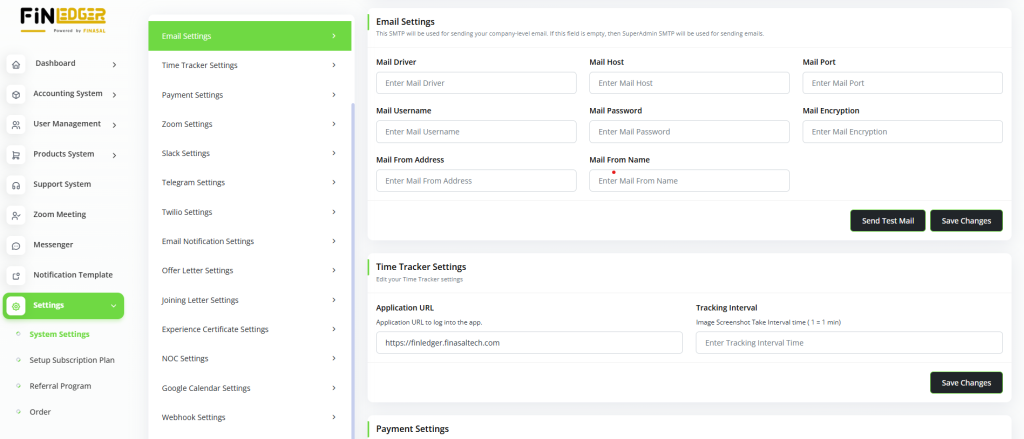
Configure essential email parameters, including mail driver, host, port, username, password, and encryption type.
Set up mail-sending preferences to ensure smooth communication within the system.
Enable options for sending text or HTML-based emails according to your needs.
Test and verify email configurations to ensure successful message delivery.
Maintain secure and reliable email connectivity for all automated notifications and alerts.
Proposal Print Settings
Tailor your proposal print settings to align perfectly with your company’s branding and visual style.
Choose from multiple templates, adjust color themes, and upload your company logo for a professional appearance.
Preview proposals before printing to ensure accuracy and consistency with your brand standards.
Customize layout elements such as headers, footers, and spacing to enhance readability.
Deliver polished, client-ready proposals that reflect your organization’s professionalism and attention to detail.
Retainer Print Settings
Elevate your retainer agreements with fully customizable print settings tailored to your business needs.
Select from professionally designed templates and adjust colors to align with your brand identity.
Add your company logo and personalize layout elements for a polished, branded look.
Preview your retainer documents before printing to ensure accuracy and consistency.
Create visually appealing and professional retainers effortlessly with the user-friendly interface.
Invoice Print Settings
Personalize your invoices effortlessly using the print settings feature for a professional and branded look.
Choose from multiple templates, customize color schemes, and upload your logo to maintain brand consistency.
Preview the invoice layout before printing to ensure accuracy and alignment with your business style.
Adjust headers, footers, and spacing for a clean and visually appealing design.
Deliver polished invoices that reflect your company’s professionalism and attention to detail.
Bill Print Settings
Customize your bills effortlessly using flexible print settings tailored to your business needs.
Select from various templates, modify color themes, and add your company logo for consistent branding.
Preview the bill design before printing or sharing to ensure accuracy and professionalism.
Adjust layout elements such as headers, footers, and spacing for a clean, polished look.
Deliver well-designed, brand-aligned bills that enhance your company’s professional image.
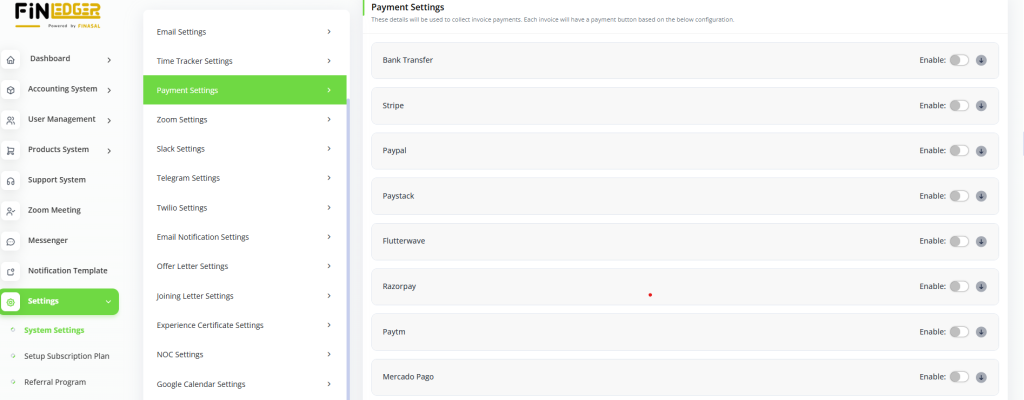
Payment Settings
Customize your payment gateway preferences by integrating multiple payment options like Bank Transfer, Stripe, PayPal, and Paystack.
Add and manage API keys securely to enable seamless online transactions.
Configure gateway settings to ensure safe and efficient payment processing.
Monitor and update payment integrations easily from a single interface.
Provide customers with flexible and reliable payment methods for a smooth checkout experience.
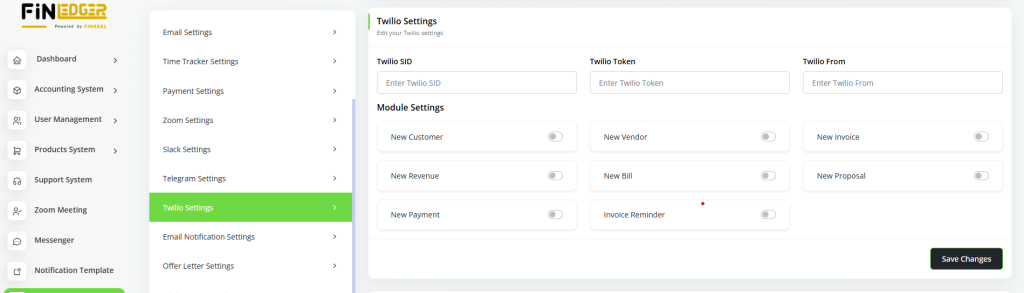
Twilio Settings
Configure Twilio integration by adding your SID, Token, and “From” details for secure communication setup.
Enable or disable Twilio-related modules anytime based on your business needs.
Use Twilio to send automated SMS alerts, notifications, and updates directly from the system.
Ensure reliable and real-time message delivery to enhance customer engagement.
Manage and test Twilio settings easily through an intuitive and user-friendly interface.
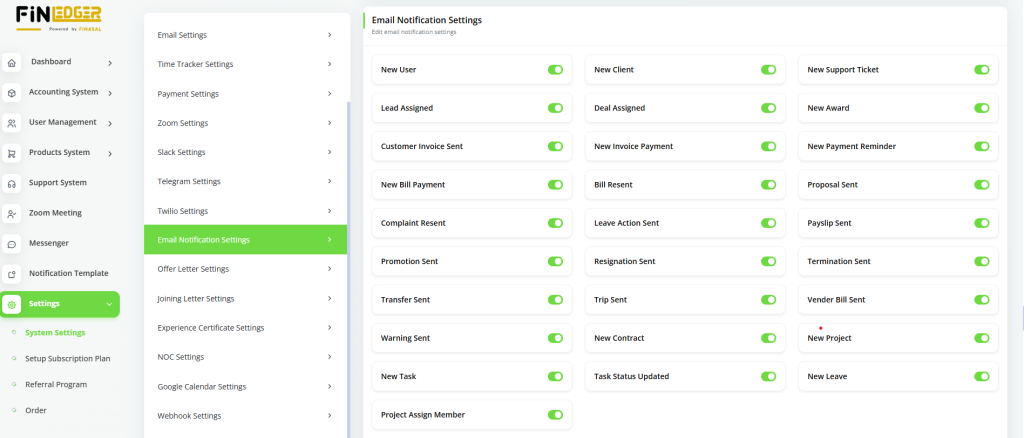
Email Notification Settings
Fine-tune your email notifications by enabling or disabling them according to specific business needs.
Customize notification preferences for different modules, such as invoices, payments, or user activities.
Ensure that only relevant updates reach your inbox, improving efficiency and focus.
Maintain better communication control by managing automated alerts and email triggers.
Streamline system notifications to keep your team and clients informed effectively.
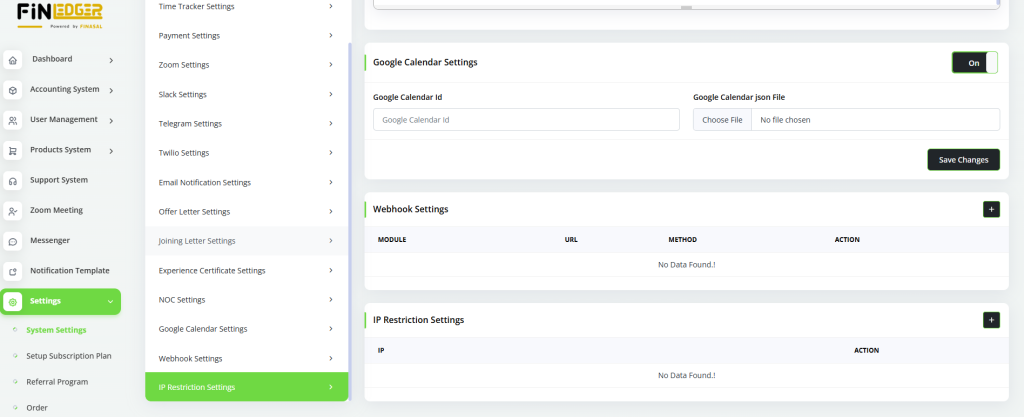
Webhook Settings
View and manage a list of existing webhooks directly from the system dashboard.
Add new webhooks or edit existing ones to automate real-time data exchange between applications.
Configure webhook URLs and triggers to ensure seamless integration with third-party platforms.
Monitor webhook activities to verify successful event deliveries and troubleshoot issues.
With this feature, users can enhance automation, connectivity, and workflow efficiency within AccountGo.